SyncMaster
Multicam audio sync, right inside Premiere Pro. Select your clips, click once, and get a new timeline with every camera and mic lined up by sound. No PluralEyes or Syncaila roundtrip.
Premiere Pro · macOS · Free · v0.42.0
From a pile of rushes to a synced timeline
How it works
Drop everything on one timeline
Make an “ALL RUSH” sequence and drag in your camera and audio folders one after another. No need to sort anything.
Mark your reference
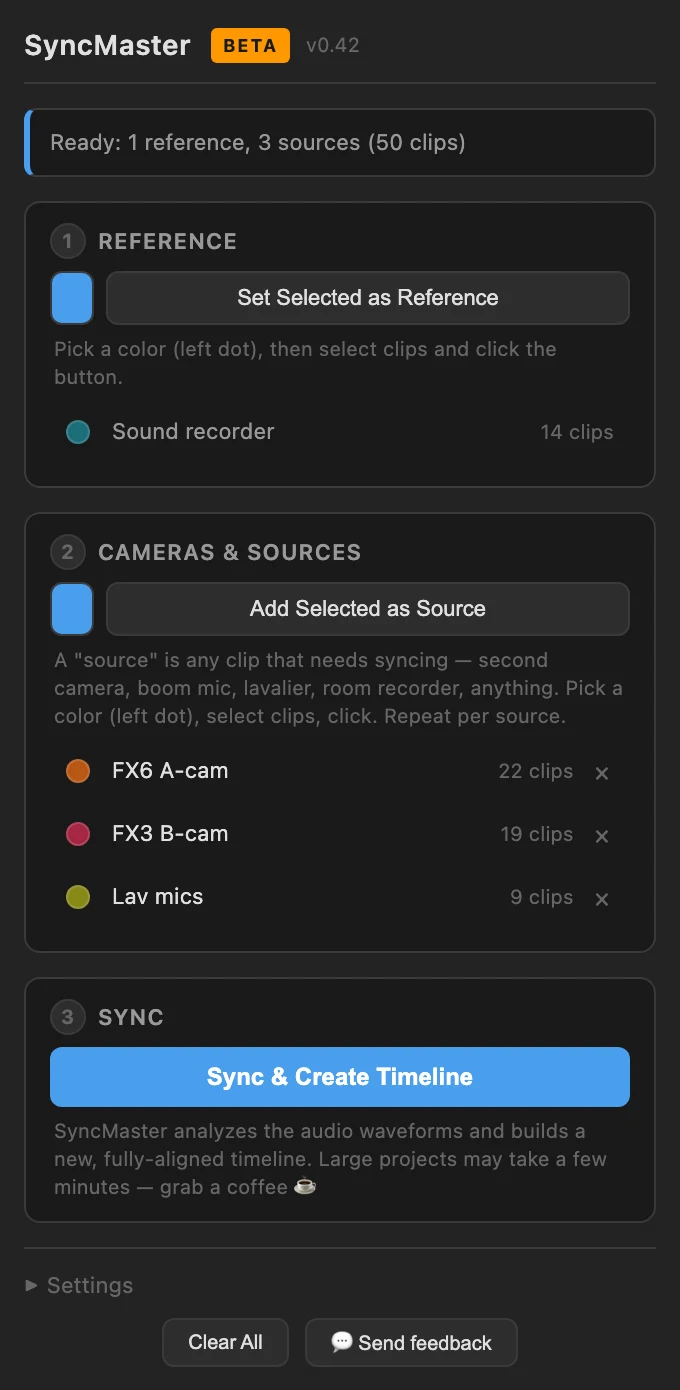
Select the clips with the best sound (usually your recorder) and click Set Selected as Reference.
Add your sources
Select each camera, lav or second recorder and click Add Selected as Source. One click per source.
Sync & Create Timeline
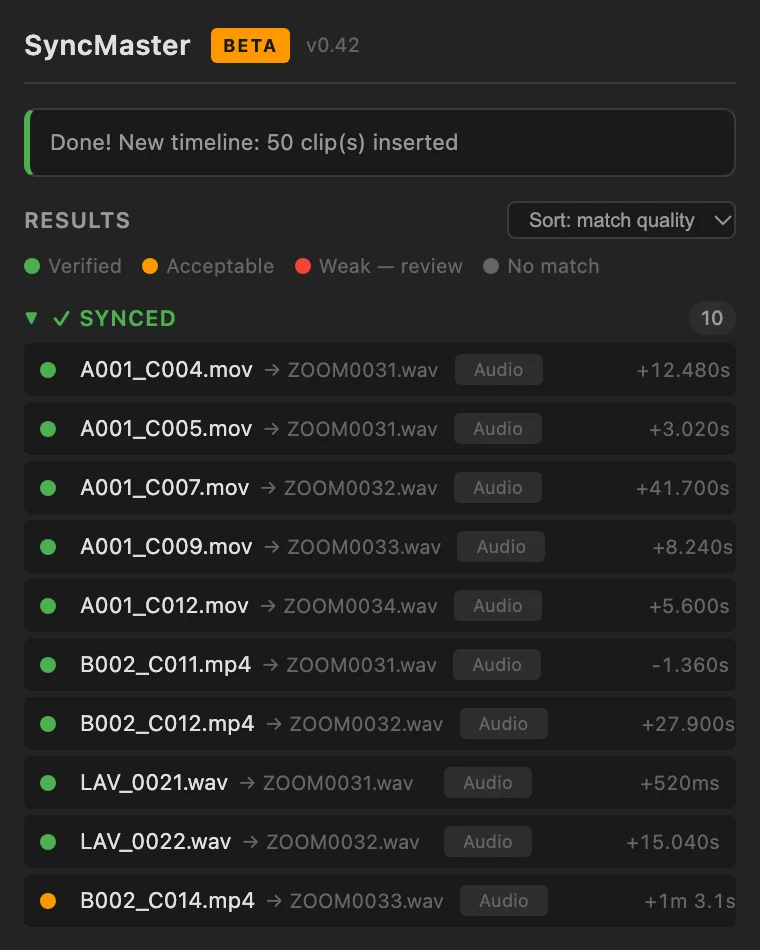
SyncMaster listens to every clip and builds a brand-new sequence with everything lined up. Your original timeline stays untouched.
What you get
- Frame-accurate, by soundWaveform cross-correlation plus Shazam-style fingerprinting, so it still finds matches in noisy or music-heavy audio.
- Any number of sourcesCameras, lavs, boom, a second recorder. Video or audio-only, each lands on its own track in its own label colour.
- Honest resultsEvery clip gets a verified, acceptable or weak rating, so you know exactly which ones to double-check.
- Proxies and timecodeWorks with proxy-only projects and falls back to timecode when your cameras share it.
- Stays on your MacEverything runs locally. No upload, no account, no internet needed to sync.
Download
Install
- Open SyncMaster-mac.pkg.
- If macOS blocks it: System Settings → Privacy & Security → Open Anyway.
- Click Install, then restart Premiere Pro.
- Open Window → Extensions → SyncMaster.
Prefer Terminal? This downloads the latest version and installs it for you:
curl -fsSL https://nickmissiaen.com/plugins/syncmaster/install.sh | bashQuestions
Is it really free?
Yes. No trial, no limits, no account. I built it for my own edits and I'm sharing it. If it saves you an afternoon, a coffee is always welcome.
Which Premiere Pro versions work?
Premiere Pro 2022 (version 22) and newer, on macOS. A Windows version may follow later.
macOS says the installer is from an unidentified developer.
That's because the installer isn't notarized by Apple yet. Open System Settings → Privacy & Security, scroll down and click Open Anyway. Or use the Terminal command, which skips this step.
How do updates work?
SyncMaster checks for a new version every time you open it. Click Download & install in Settings, then restart Premiere Pro. You'll also get an email with what changed.
Does it replace PluralEyes or Syncaila?
For syncing multicam shoots by audio, yes, without exporting XMLs back and forth. It works directly on your Premiere timeline.
Free, no catch
If SyncMaster saves you a sync roundtrip, a coffee keeps the next update coming.
Buy me a coffee